Calendar invite phishing hijacks live Google sessions: block the page, not the site
Since mid August 2026, a phishing operation has been taking over live Google sessions through calendar invites and a reverse proxy. The useful signal is the exact page and the age of the domain, and a browser can block on both at the first click.
A calendar invite arrives, often from an organisation the target has already corresponded with. The link goes through a Google address, then a bot check, then a sign in page that relays every step to the real Google. Since mid August 2026, a phishing operation has been stealing live Google sessions from corporate users, and because the link looks trusted at every step, the signals that still work are the exact page and the age of the domain that serves it.
What happened
Material Security's Threat Research team identified the activity and named its response effort Operation CloudFire. According to Material, the operation used Google Calendar invites as the delivery mechanism and a live proxy in front of the real Google sign in page as the capture mechanism. The Hacker News, BleepingComputer and SC Media have all reported on it.
The pretexts were dull on purpose: voicemail notifications, RFP and RFI requests, court summonses and missed payment notices. Some invites arrived by BCC. Material reports that most links pointed to Google itself, and that other waves used share.google and Drive file links the same way. One variant used Intuit transaction notification links.
Material also describes how it went after the infrastructure. It reported gateway and backend URLs to Cloudflare's abuse team, which validated the fake interstitial and the proxied sign in page and put its own phishing warning in front of them. Over one month Material recorded 68,676 campaign messages blocked, 2,112 unique malicious URLs analysed and 897 unique domains taken down. It also recorded 8,570 compromised sender addresses across 6,354 root domains.
One note on sourcing. The BleepingComputer article is marked as sponsored by Material Security, and Material says its figures come only from customers who agreed to share data. They show the scale of what one vendor could see. They are not an independent measurement of the whole campaign.
On status, Material says the lure themes have moved from calendar invites to Google Drive file and document share invites. It says activity from this group appears to have dispersed and the campaign looks finished, but it calls that an update and not a verdict. The infrastructure is cheap to rebuild, and the framework behind it, Nyasher, has been publicly documented since February.
How the attack works
- The invite lands. A Google Calendar invite carries the lure. Material reports that many came from an organisation the recipient had already traded email with.
- The link takes a trusted first hop. The typical pattern runs through Google's own /url redirector, with the real destination in a query parameter. The first address on the path belongs to Google.
- A bot check and a built page. Material describes a Cloudflare Turnstile challenge, in some builds the genuine widget. After the visitor clears it, JavaScript builds the credential page in the browser, so a crawler has nothing to fetch.
- The reverse proxy sits in front of real Google. The victim enters a password and gets a genuine prompt, while the operator watches the session in real time.
- The session is captured. The server relays SMS codes, authenticator codes, Tap Yes number matching and phone based account recovery to Google as each one arrives. The victim completes a real MFA step, and the operator ends up with the authenticated session.
Material says a live Google session reaches mail and Drive, and can be used to grant OAuth access in the victim's name. The damage goes well past the inbox, and the evidence appears in Workspace audit logs.
Why it passes the checks defenders normally use
Reputation checks ask who registered a domain, what else it has hosted and whether anyone has complained. In this campaign the first hop is a Google URL, so a domain reputation check has nothing to flag. As SC Media summarised the report, the links evaded reputation based tools because they used legitimate Google redirectors and pages built by JavaScript.
MFA does not help either, and that is the part that surprises people. The victim is answering genuine Google prompts in real time. The proxy does not break MFA. It waits for the user to finish it and keeps what Google issues at the end.
You cannot respond by blocking the trusted site. Nobody is going to block google.com, and nobody should. A rule that works on the whole site is either too broad to ship or too narrow to matter.
That leaves two signals that stay useful:
- The exact page. The harm sits in one URL on a site that is otherwise fine. A control that only understands domains cannot express that. A control that understands the full URL path can.
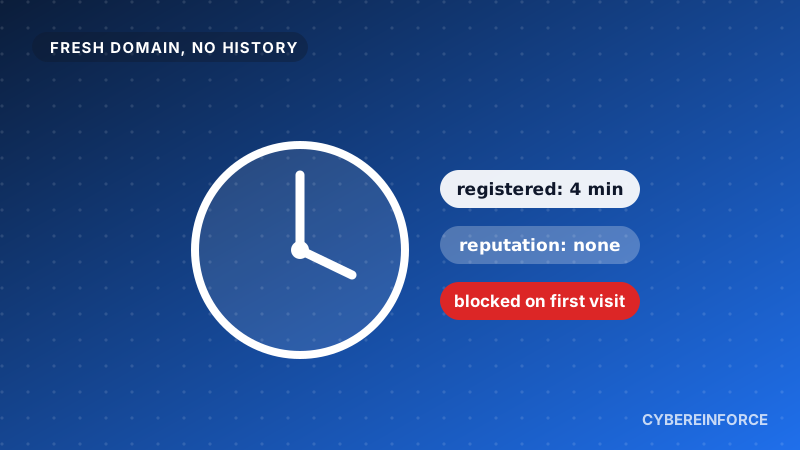
- The age of the domain. Material reports that the lure domains were mostly registered only days before use, and that receiving endpoints were staged one to twenty days ahead of the wave they served. It also reports one wildcard certificate issued 46 minutes before the domain it covers was registered. Infrastructure built to be thrown away is young by design.
The clean up shows why the second signal matters. Each reported gateway and endpoint had to be re-registered, re-pointed and re-certified before the operator could send again. A defence that waits for reports starts from zero each time the operator rotates to fresh domains.
What to do
- Treat calendar invites as a link delivery channel. They are not only meeting data. A link in an invite deserves the same suspicion as a link in an email.
- Consider phishing resistant MFA. This campaign relayed SMS codes, authenticator codes and push style number matching. Passkeys and hardware security keys are tied to the genuine sign in site, so a relay through a proxy page has less to work with. This is our own advice, not a recommendation taken from the reports.
- Know where the evidence lands. A hijacked session shows up in audit logs. Decide who reads them, and test whether you can revoke sessions, contain OAuth grants and reset the account within an hour. Material raises exactly these questions.
- Do not rely on domain reputation when the first hop is a trusted URL. Add a control that looks at the full URL and at the age of the final destination.
- Read this as a pattern, not as a Google problem. Material and The Hacker News both report that the operator shipped an unfinished Microsoft 365 branch alongside the live Google code, and SC Media notes the capability to pivot to Microsoft 365 targets. A proxy in front of a sign in page is not tied to one provider.
- Feed what you learn back in. When your SOC identifies a bad URL, enforce it in the browser as well as in the mail system. If you maintain indicators in Defender, make sure they reach every browser your people use.
How you would be protected with Cybereinforce
- The exact page is blocked, not the whole site.* Cybereinforce blocks on the full URL path, not only the domain. The phishing page is stopped while the rest of the platform keeps working, so your people do not lose a service they use every day.
- New domains get no free pass.* A domain registered in the last six months is blocked in the browser, and one between six and twelve months old shows a warning. This happens on the first click, before anyone has reported the site. Rotating to fresh domains does not help when fresh domains are exactly what gets blocked. Coverage spans newly registered domains across 1,100+ TLDs, and Certificate Transparency logs are read continuously. Domains that imitate well known brands are caught on the first click too.
- The same protection in every browser. Cybereinforce runs in Chrome, Edge, Firefox and Safari on Windows, macOS, iPhone and iPad. It reads the indicators your team already maintains in Defender and enforces them inside the browser itself.
- Your SOC sees every attempt. Each block becomes an event with the user, the URL and the reason, for example "domain registered 3 days ago", ready for Microsoft Sentinel and working alongside Microsoft Defender.
* In browsers protected by Cybereinforce.
You can check a suspicious domain or URL yourself with the free IOC Lookup. If you want the same check on every click, there is a free 14 day trial with no credit card, and Cybereinforce is sold through Microsoft Marketplace.
- The Hacker News: Calendar Invites and Live Proxies: Inside a Google Session Hijacking Campaign (November 2026)
- BleepingComputer: Google Calendar phishing campaign hijacks sessions, bypasses MFA (November 2026)
- Material Security: 897 Domains Later: How Operation CloudFire Burned the Calendar Invite Campaign (October 2026)
- SC Media: Operation CloudFire: phishing campaign targets corporate Google sessions (November 2026)