TheMailer: an AI phishing kit that rewrites each lure until it passes the filter
Varonis describes TheMailer, a commercial kit that personalises every email and rewrites lures until they get past spam filters. When the message keeps changing, the age and look of the domain behind the link is a signal the kit cannot rewrite.
A phishing kit called TheMailer gives each recipient their own version of the email, then rewrites the lure until it gets past spam filters. Varonis Threat Labs published the research in November 2026, and Dark Reading has covered it. If every message is different, there is no shared text to match, so the signal worth watching is the domain behind the link.
What happened
Varonis describes TheMailer as a self hosted phishing platform that runs on commercial AI models. It goes beyond writing lures. Dark Reading reports that the kit automates much of the phishing process from end to end using the attacker's chosen AI model, and can tailor lures to each mail provider and rewrite them until they bypass spam filters.
The commercial side is simple. The buyer pays for a lifetime licence of between $3,000 and $6,000 in cryptocurrency, depending on the deal and which AI functions are included. The operator then plugs in an API key and picks a model. Claude, ChatGPT, DeepSeek, Grok, Gemini and Mistral are included, and customers only need to bring SMTP servers, proxies and target email lists.
On scale, Varonis researcher Daniel Kelley told Dark Reading what the seller's screenshots show. One campaign was nearly 25,000 emails, and a list of more than 145,000 targets was being sorted by mail provider. Varonis assesses that the kit has a large customer base, although it is unclear how successful it is.
How the attack works
The kit does the work that used to take a human writer and a deliverability specialist, and it does it per recipient.
- The lure is generated. TheMailer can build it from a short prompt or from a real brand email.
- Each email is personalised. That covers the recipient's email address, the body and the subject line, and the kit also removes AI writing patterns.
- The content is tuned for the filter. The kit adjusts the message for each mail provider. Varonis describes an "Inbox Loop" that sends a test email, checks whether it was filtered as spam, and has the AI rewrite and retry until it reaches the inbox.
- The email reaches the victim. The user sees a message that looks ordinary and has to decide whether to click.
Attachments get the same treatment. Varonis reports that HTML templates are converted to PDFs with personalised filenames, and that embedded links and randomised metadata mean no two files share the same hash. Among the features Varonis lists are "trust redirects" that hide malicious links behind Google domains.
Kelley's own summary is useful here. Every recipient gets their own version of the email, subject line and attachment, so a bulk campaign no longer looks like one. He also said it is opportunistic phishing with the polish of something targeted. The personalisation was about the level of a name on an invoice, and Varonis did not see features for researching individual targets.
Why it works
Varonis puts the problem plainly. If every recipient gets a different version that has already been tested against the big mail providers, there is no single template to block. A kit that rewrites each message until the filter accepts it attacks the wording layer directly.
The old human tells are fading as well. Varonis points out that bad grammar is no longer a reliable sign, so people cannot lean on typos and clumsy phrasing.
That leaves a question for the defender. If the email text can change on every send, what does not change? A click has to land somewhere. The page behind the link sits on a domain that has an age, a name and a certificate. An attacker can rewrite a sentence for free. A freshly registered domain is young by definition, and a lookalike has to resemble the brand it copies.
This is why Varonis's advice includes monitoring for lookalike and newly registered domains, and checking links through the full redirect chain at the time of click. The time of the click is the point where the filter has already had its say and the user is about to act.
What to do
- Keep email authentication tight. Varonis recommends enforcing SPF, DKIM and DMARC at p=reject. It will not stop a lure written by a model, but it narrows what can pretend to be your own domain.
- Watch for lookalike and new domains. Treat the age of a domain as a risk signal in its own right, for your own brand and for the brands your staff trust.
- Check the link when it is clicked. Redirect chains, including those behind trusted domains, can hide the final destination until the moment the user opens it.
- Update awareness training. Varonis suggests teaching people to be wary of urgency, unexpected requests, and login prompts, especially "unusual activity" or account statement alerts.
- Limit the damage of a click. Varonis notes that least privilege access and data monitoring limit the damage if someone clicks anyway.
Where the browser fits
A kit like TheMailer is built to win at the inbox. It can rewrite a message as many times as it likes, but it cannot rewrite the registration date of the domain a page is served from, and a lookalike still has to look like the brand it copies. So a strong place to add a check is the moment the page opens, in the browser, where the destination is finally visible.
That check needs fresh data. A domain registered this morning has no reputation anywhere yet. Lists only know what has already been reported, which is why the first click matters most. Newly registered domains across 1,100+ TLDs are covered, and Certificate Transparency logs are read continuously, so lookalikes can be found before anyone has been sent a lure.
The kit changes the email for every recipient. It does not change the fact that the page behind the link has to exist somewhere, and that is where the browser looks.
How you would be protected with Cybereinforce
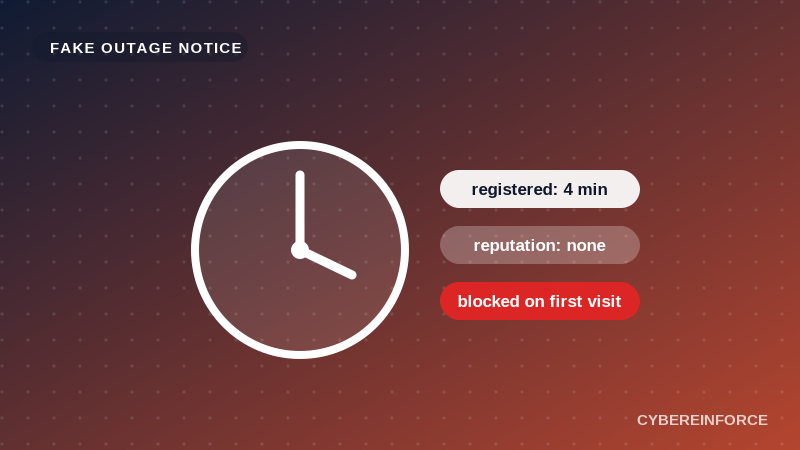
- New domains get no free pass.* A domain registered in the last six months is blocked in the browser, and one between six and twelve months old shows a warning. This happens on the first click, before anyone has reported the site, so a lure tuned to pass the filter has a chance to be blocked at the link.
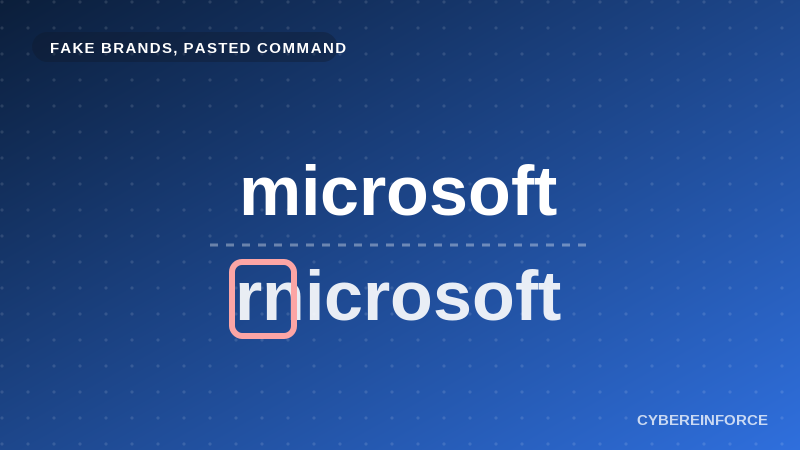
- Brand lookalikes are caught from minute one.* Domains that imitate well known brands are caught on the first click, before any reputation exists. Misspellings, swapped letters and foreign alphabets are caught, not only exact copies of a name.
- Our threat intelligence comes on top. On Corporate and Enterprise plans, Cybereinforce Threat Intelligence is enforced in addition to your own rules and your Defender indicators.
- Your SOC sees every attempt. Each block becomes an event with the user, the URL and the reason, for example "domain registered 3 days ago", ready for Microsoft Sentinel and working alongside Microsoft Defender.
- The same protection in every browser. Cybereinforce runs in Chrome, Edge, Firefox and Safari on Windows, macOS, iPhone and iPad, and administrators deploy it in minutes. There is a free 14 day trial with no credit card, and it is sold through Microsoft Marketplace.
You can also check any suspicious domain or URL yourself with the free IOC Lookup.
* In browsers protected by Cybereinforce.