Fake Microsoft 365 outage notices use the real incident EX1550543
Phishers cited the genuine Exchange Online incident and warned that held mail would be deleted within 24 hours. The first click is the one that counts, and Cybereinforce extends Defender enforcement to it in every browser.
The Microsoft 365 outage on 12 November 2026 was a technical problem, not a cyberattack. Phishers used it anyway. Microsoft Threat Intelligence reported emails that posed as service health notices, quoted the real Exchange Online incident EX1550543, and warned that held mail would be deleted within 24 hours.
The lure is believable because the incident was real. The decision to click is made in seconds, usually before any reputation service has seen the link.
What happened
According to iTnews, Microsoft Threat Intelligence observed an active campaign that impersonated Microsoft 365 service health notifications and referenced the genuine Exchange Online incident EX1550543. SecurityWeek reported that Microsoft traced the outage to a network capacity upgrade and a later network change, not to an attack, and that the Exchange Online incident was marked resolved on 13 November.
The phishing messages followed fast. SecurityWeek reported that some of them were detected on 13 November. iTnews covered the story on 14 November and SecurityWeek on 16 November.
Some of the emails claimed that messages had been held during the outage and would be deleted within 24 hours unless the recipient clicked a link to restore them. Microsoft said similar messages targeted organisations across several US sectors. It described the activity as consistent with credential phishing, but said that credential collection and malware delivery have not been confirmed.
How the attack works
The details Microsoft published are specific enough to hunt for.
- The sender looks official. Display names carried an organisation specific prefix, followed by "Outage Notification" or "Service Health". Subjects began with "Outage" followed by a six character code.
- The body creates a deadline. Held messages, deleted within 24 hours, unless you click to restore them.
- The link is wrapped. Messages used a recipient specific SendGrid click tracking link, so each user got a different URL.
- The tracking link redirects onward. The redirect led to reallifeaccounting[.]com. Microsoft cited the path
/themelist0.htmlas one example.
Microsoft identified three domains used to send the emails, and the redirect destination:
| Type | Value | Note |
|---|---|---|
| Sender domain | moments-notice[.]com | Named by Microsoft |
| Sender domain | planetmaison[.]com | Named by Microsoft |
| Sender domain | newbooker[.]com | Named by Microsoft |
| Redirect destination | reallifeaccounting[.]com | Example path /themelist0.html |
Why it works
Three things stack up.
The context is true. A real outage happened, and the incident ID is real. An admin who checks the ID finds a genuine incident. The background in the email is correct. The claim that your mail will be deleted unless you click is what is false.
As iTnews pointed out, tailored sender names make the messages harder to ignore, particularly in inboxes already full of genuine outage updates. People are expecting service health mail, so one more message does not look odd.
The link is a wrapper. A click tracking URL points at a sending service, and the destination is only revealed after the redirect. The address the user sees first tells them very little, and because each link is recipient specific, there is no single URL to share around the helpdesk.
The deadline removes the pause. Mail that will be deleted in 24 hours feels like something to fix now, not something to check with the helpdesk.
All of this leads to one moment: the first click on a destination that has little or no history. SecurityWeek reported that Microsoft later said its security products were blocking the campaign. That is useful, and it is also a reminder that the early clicks come first.
What to do now
- Hunt for the campaign. Microsoft pointed to Defender for Office 365 Threat Explorer, and to Defender XDR advanced hunting across the
EmailEvents,EmailUrlInfoandUrlClickEventstables, to find suspicious messages, examine embedded URLs and trace user clicks. - Check who clicked. A click on the redirect is the event that matters. For anyone who did click, treat the account as exposed until you have checked sign in activity and reset credentials where needed.
- Add the indicators to Defender. Put the three sender domains and the redirect destination into your custom indicators so they are enforced by your own rules.
- Review Safe Links. Microsoft suggested Defender Safe Links, which provides time of click protection against malicious URLs when properly configured, and advised reviewing those policies.
- Tell your people where real notices live. Microsoft advised verifying service incidents directly in the Microsoft 365 admin center. Outage information does not arrive as a message that asks you to click to restore mail. Anyone who is unsure should report the message, not follow it.
The click is the control point
Your team maintains Defender indicators for a reason. The question is how many of your browsers apply them. Your people are on Edge, Chrome, Firefox and Safari, on Windows, on Macs and on phones. The same lure reaches all of them, and a link opened on an iPhone is as good to an attacker as one opened in Edge on a managed laptop.
Fresh infrastructure is created continuously, and campaigns like this one rely on it. Three sender domains and a redirect destination are a small list, and the next wave can use different ones.
Cybereinforce enforces at the browser, at the moment of the click, and on the full URL path. That is the point where an outage themed lure becomes either a page that loads or a block your SOC can read.
How you would be protected with Cybereinforce
- Your Defender indicators reach every browser. Cybereinforce reads the indicators your team already maintains in Defender and enforces them inside the browser itself, in Chrome, Edge, Firefox and Safari on Windows, macOS, iPhone and iPad. Administrators deploy it in minutes, so the redirect destination above can be stopped wherever your people open the link.
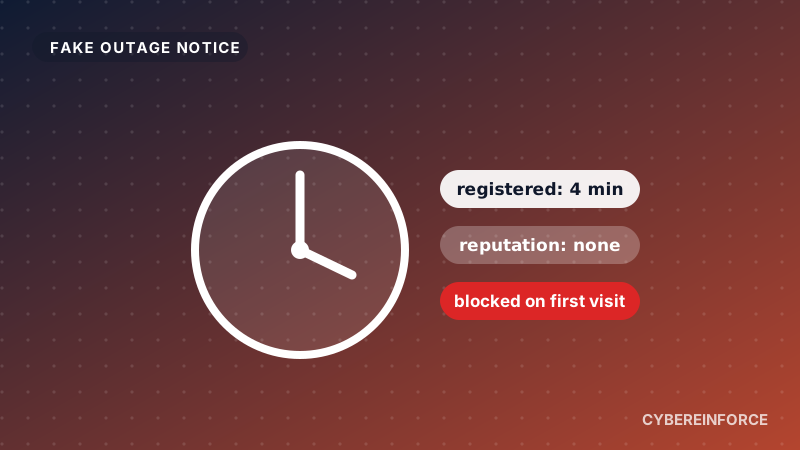
- New domains get no free pass.* A domain registered in the last six months is blocked in the browser, and one between six and twelve months old shows a warning. This happens on the first click, before anyone has reported the site. Rotating to fresh domains does not help when fresh domains are exactly what gets blocked.
- The exact page is blocked, not the whole service.* Cybereinforce blocks on the full URL path, not only the domain. The phishing page is stopped while the rest of the platform keeps working.
- Your SOC sees every attempt. Each block becomes an event with the user, the URL and the reason, for example "domain registered 3 days ago", ready for Microsoft Sentinel and working alongside Microsoft Defender.
* In browsers protected by Cybereinforce. You can check any domain or URL yourself with the free IOC Lookup, or start a free 14 day trial with no credit card. Cybereinforce is sold through Microsoft Marketplace.